
![[SpringBoot] jpasystemexception 예외](https://img1.daumcdn.net/thumb/R750x0/?scode=mtistory2&fname=https%3A%2F%2Fblog.kakaocdn.net%2Fdna%2FdsTH0o%2FbtrP9HYziuZ%2FAAAAAAAAAAAAAAAAAAAAALpeRLWS1PPRkNF2PygY_Qh9BU1sFEv0B2vNNVPxG2-D%2Fimg.png%3Fcredential%3DyqXZFxpELC7KVnFOS48ylbz2pIh7yKj8%26expires%3D1785509999%26allow_ip%3D%26allow_referer%3D%26signature%3DDg9lnxpDyFYjRK7YZ4H68eOlIqU%253D)
728x90
에러 코드
jpasystemexception문제상황
정상 작동하던 로직이 갑자기 위의 예외가 발생하면서 동작하지 않는다.
(가령, 로컬에서선 정상작동 했으나, EC2에서 발생 등)
원인
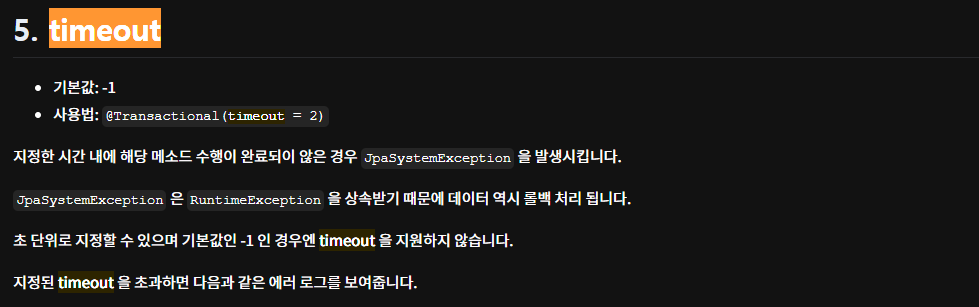
@Transactional을 적용으로 인해, 일정 시간이 지난 후 롤백이 발생하면서 던져지는 예외.
정확히는 jpasystemexception의 경우, RuntimeException을 상속하기 때문에, 지정 시간 안에 기능이 수행되지 않으면 롤백 후 던져지는 예외다.
참조 링크 1 : https://techblog.woowahan.com/2606/
참조 링크 2 : https://bcp0109.tistory.com/322
해결방법
1. 필자의 경우, @Transactional이 적용된 메서드의 반환타입을 void로 변경하여 해결했다.
2. 혹은 Timeout 시간을 따로 지정하면 처리 가능하다.
예시 코드
기존코드
@Transactional
public Answer createAnswer(Answer answer) {
    Account verifiedAccount = accountRepository.findById(answer.getAccount().getId())
            .orElseThrow(() -> new BusinessLogicException(ExceptionCode.NOT_FOUND_ACCOUNT));
    Question verifiedQuestion = questionRepository.findById(answer.getQuestion().getId())
            .orElseThrow(() -> new BusinessLogicException(ExceptionCode.NOT_FOUND_QUESTION));
    answer.setAccount(verifiedAccount);
    answer.setQuestion(verifiedQuestion);

    return answerRepository.save(answer);
}
수정코드
@Transactional
public void createAnswer(Answer answer) {
    Account verifiedAccount = accountRepository.findById(answer.getAccount().getId())
            .orElseThrow(() -> new BusinessLogicException(ExceptionCode.NOT_FOUND_ACCOUNT));
    Question verifiedQuestion = questionRepository.findById(answer.getQuestion().getId())
            .orElseThrow(() -> new BusinessLogicException(ExceptionCode.NOT_FOUND_QUESTION));
    answer.setAccount(verifiedAccount);
    answer.setQuestion(verifiedQuestion);

    answerRepository.save(answer);
}
728x90
'Java & Spring > Error' 카테고리의 다른 글
| [SpringBoot] Asciidoctor 인식 오류 (0) | 2022.11.06 |
|---|---|
| [SpringBoot] failed to load applicationcontext (0) | 2022.11.02 |
| [SpringBoot] h2 localhost에서 연결을 거부했습니다. (0) | 2022.10.31 |
| [IntelliJ] yml 파일 인식오류 (프로파일 인식 안됨) (0) | 2022.10.31 |
| [IntelliJ] Git clone한 프로젝트 열 때, 루트 경로 및 JDK 인식 오류 (0) | 2022.10.28 |